Running a Voting Round
Each ticket goes through a voting round. Here’s the complete flow from the moderator’s perspective.
1. Start Voting
Section titled “1. Start Voting”The current ticket is shown in the Dialog Box area. Click Start Voting (or the play button) to begin the round. The ticket moves from pending to voting state.

All eligible voters (those whose group matches the ticket’s assigned groups) will see their estimation cards appear.
2. Monitor Vote Progress
Section titled “2. Monitor Vote Progress”While voting is in progress, you’ll see:
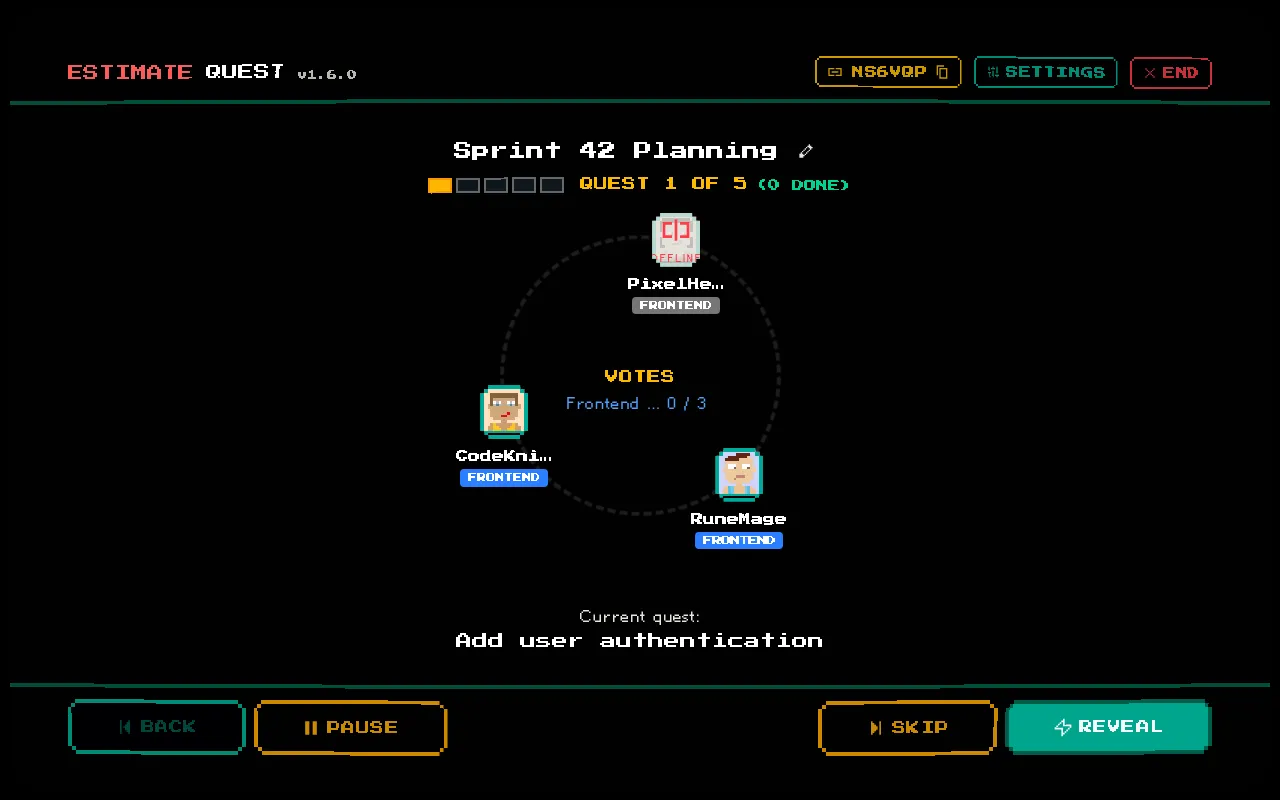
- Vote progress indicator — shows how many voters have submitted estimates (e.g., “3/5 votes”)
- Player Arena — each player’s avatar shows whether they’ve voted (visual indicator)
You cannot see the actual vote values until you reveal them.
3. Reveal Votes
Section titled “3. Reveal Votes”Click the Reveal button to show all submitted votes simultaneously. You can reveal even if not all voters have submitted — this is called a force reveal.
After reveal:
- Each voter’s card is shown face-up in the Player Arena
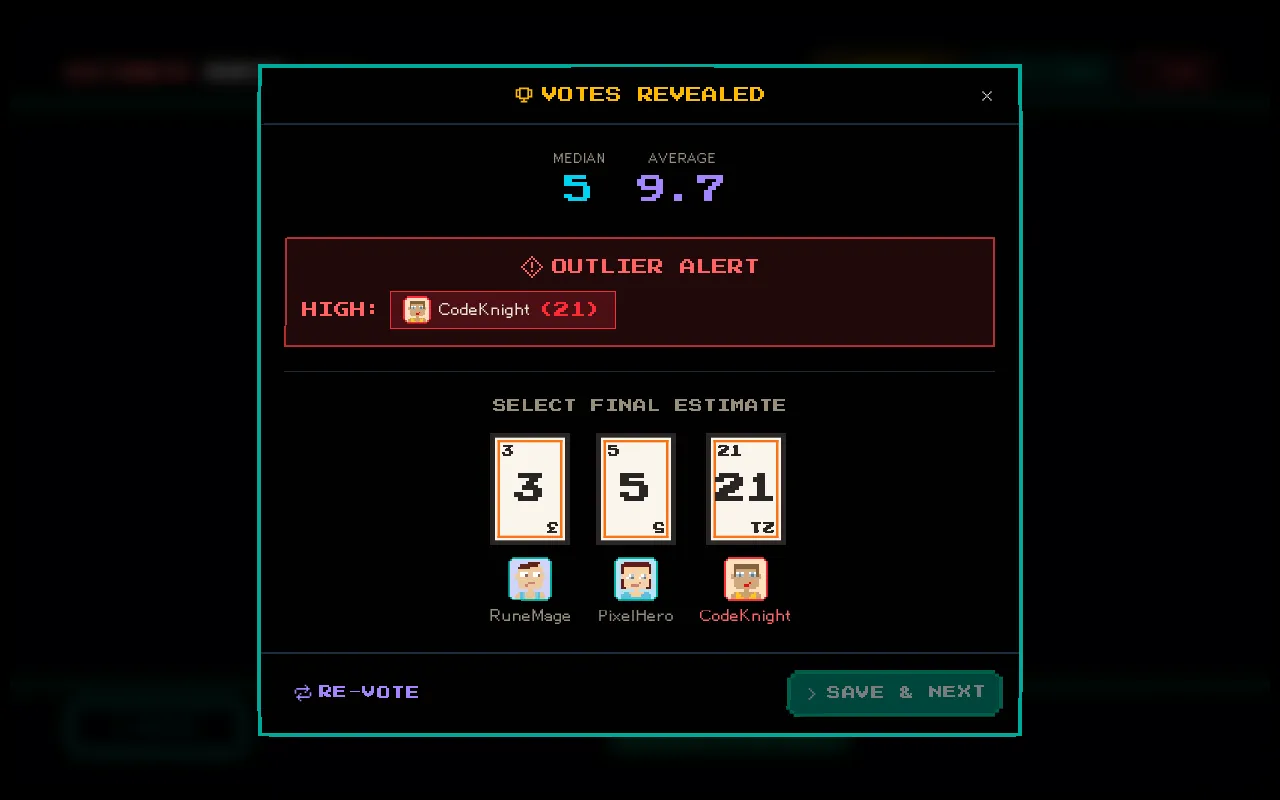
- The Vote Summary modal opens automatically with statistics
- A reveal sound effect plays
4. Review the Summary
Section titled “4. Review the Summary”The vote summary shows:
- All individual votes with voter names
- Statistical breakdown — average, median, mode, standard deviation
- Outlier detection — votes that deviate significantly are highlighted
- Per-group breakdown if multiple groups voted
- Consensus indicator — if all voters in a group agreed
See Vote Summary & Statistics for details.
5. Set the Final Estimate
Section titled “5. Set the Final Estimate”After reviewing the discussion:
- Per-group estimates — if multiple groups voted, set an estimate for each group. If a group reached consensus, the estimate is auto-populated.
- Final estimate — set the overall estimate for the ticket
Click Complete to finalize. The ticket moves to completed and the session advances to the next pending ticket.
Alternative Actions
Section titled “Alternative Actions”Instead of completing, you can:
| Action | Effect |
|---|---|
| Reset Votes | Clears all votes and returns to the voting state for another round |
| Skip | Marks the ticket as skipped with no estimate and moves to the next ticket |
Resetting votes is useful when the discussion reveals that the team was estimating based on incorrect assumptions.