Joining a Session
To join an existing session, you need the 6-digit session code shared by the moderator.
Step 1: Enter the Session Code
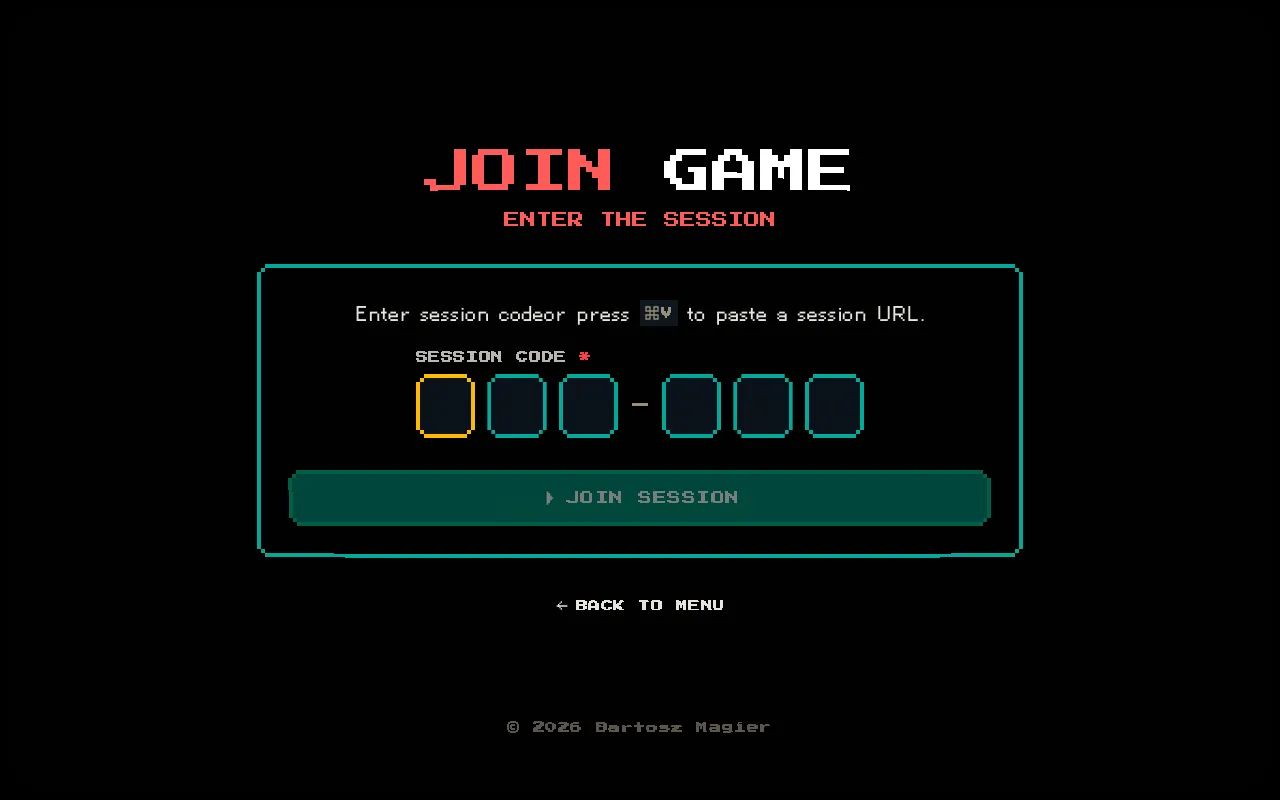
Section titled “Step 1: Enter the Session Code”Navigate to /session/join or click JOIN GAME on the home page.
Enter the 6-character code using the OTP-style input. The form auto-submits once all 6 characters are entered. You can also paste a full session URL — the code will be extracted automatically.
Step 2: Choose Your Role and Details
Section titled “Step 2: Choose Your Role and Details”Once the code is accepted, you’ll see the join modal on the session page:
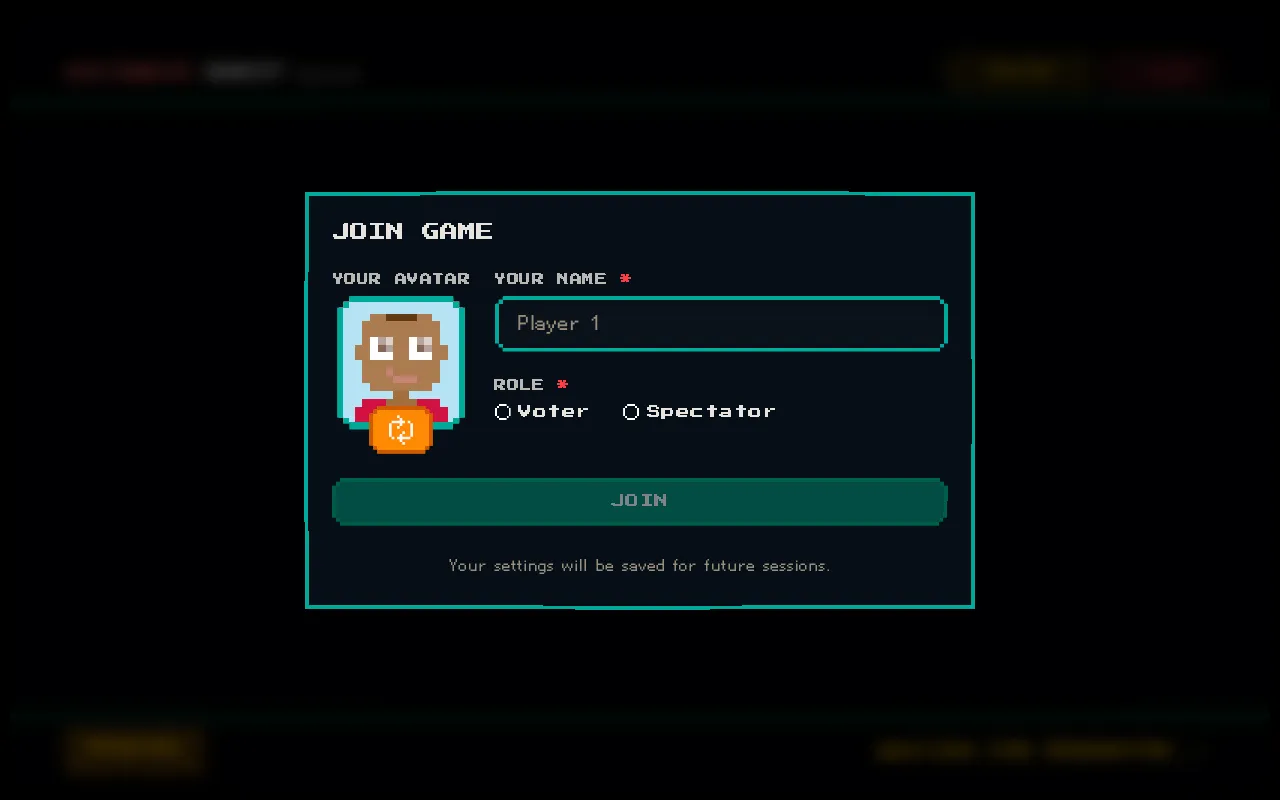
| Field | Description |
|---|---|
| Your Avatar | Click the dice to randomize your pixel avatar |
| Your Name | Your display name (max 50 characters) |
| Role | Choose Voter or Spectator |
| Your Team | Select your group — only shown for Voters |
- Voter — you’ll estimate tickets assigned to your group
- Spectator — you’ll observe the session without voting
Team / Group Selection
Section titled “Team / Group Selection”If you choose Voter, select the team you belong to:
- Frontend
- Backend
- Mobile
- QA
Your group determines which tickets you vote on. Only tickets assigned to your group will show voting cards for you.
After Joining
Section titled “After Joining”Once you join, you’ll see the session arena. If it’s your first time, an interactive tour will guide you through the interface.
Your profile (name, avatar, role, group) is saved locally for convenience.